Your Complete Mobile IDE & Compiler for Android
Write, compile, and run C, C++, Java, Rust, Python, Go, Node.js, and 15+ programming languages offline on your phone with zero root required. Version 1.4.6 features standardized modern package name app.code.editor for Indus Appstore compliance, pure Java Kotlin compiler engine, direct Mono C# mcs compilation, universal shell script execution with /system/bin/sh fallback, self-healing environment wrappers, zero-ELOOP toolchain extraction, safe directory collision tolerance, physical shared library materialization, robust multi-language compilation, real-time output streaming, Target SDK 34 compatibility mode for smooth Linux compilers and PRoot, and manual update verification via the website portal.
Get Code Editor APK
Download the signed v1.4.6 APK directly to your phone. It uses the `app.code.editor` package ID and versionCode 33 with target SDK 34 compatibility mode.
Visual Step-By-Step Setup & Usage
Follow along with genuine Android screenshots from Code Editor showing how to bootstrap Linux, auto-install compilers from CDN, create files, and run code.
Launch App & Tap Three Lines (≡) Menu
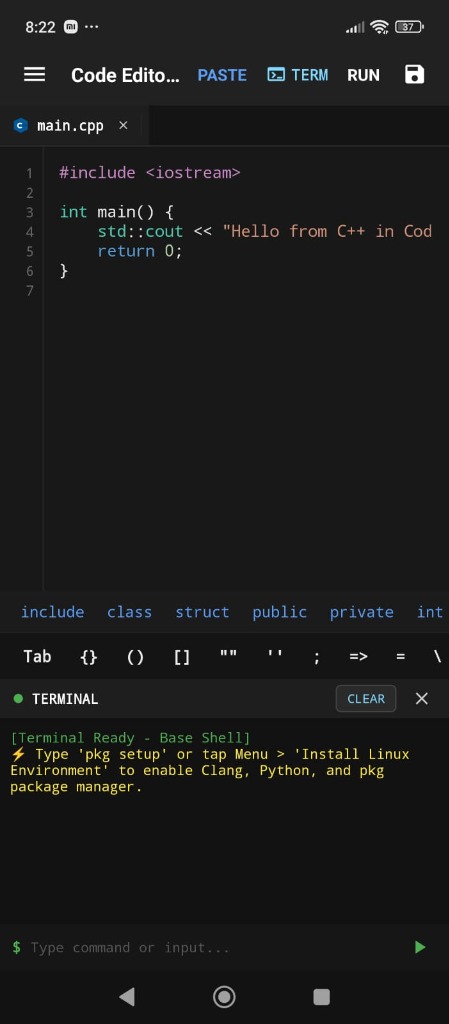
When you launch Code Editor, the main IDE opens with default starter code. Notice the terminal banner at the bottom prompting you to initialize the Linux subsystem.
-
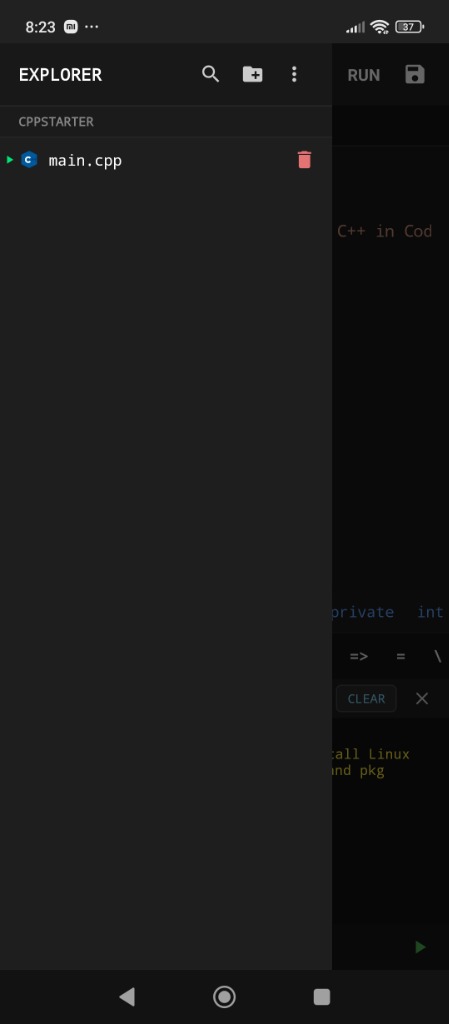
Step 1 Tap the Three Lines (≡) hamburger icon on the top-left toolbar.
-
Terminal Notification:
⚡ Type 'pkg setup' or tap Menu > 'Install Linux Environment' to enable Clang, Python, and pkg package manager. -
Explorer Drawer Slides Open: Displays your project structure (
CPPSTARTER), default source files (main.cpp), and action bar.
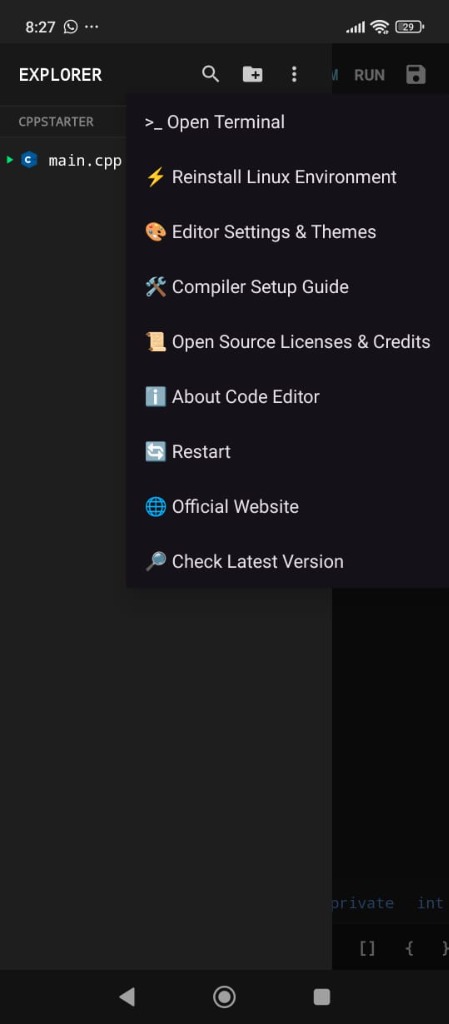
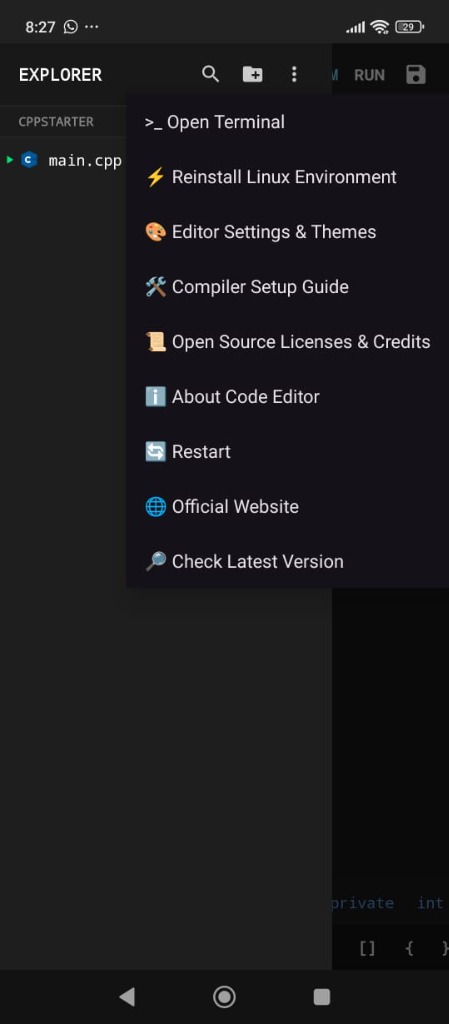
Tap Three-Dots (⋮) for Core Tools & Actions
Inside the Explorer panel header, tap the Three-Dots (⋮) menu button to reveal core IDE tools, theme selectors, and system actions.
-
Step 2 Tap the Three-Dots (⋮) icon in the top right of the Explorer header.
-
Core Actions Access "⚡ Install / Reinstall Linux Environment", "🎨 Editor Settings & Themes", and "🛠️ Compiler Setup Guide".
-
Ecosystem & Updates: The app menu opens the
🌐 Official Websiteand lets users run a manual🔎 Check Latest Version; it does not download or install updates automatically.
Tap "Install Now" & Watch Progress Bar
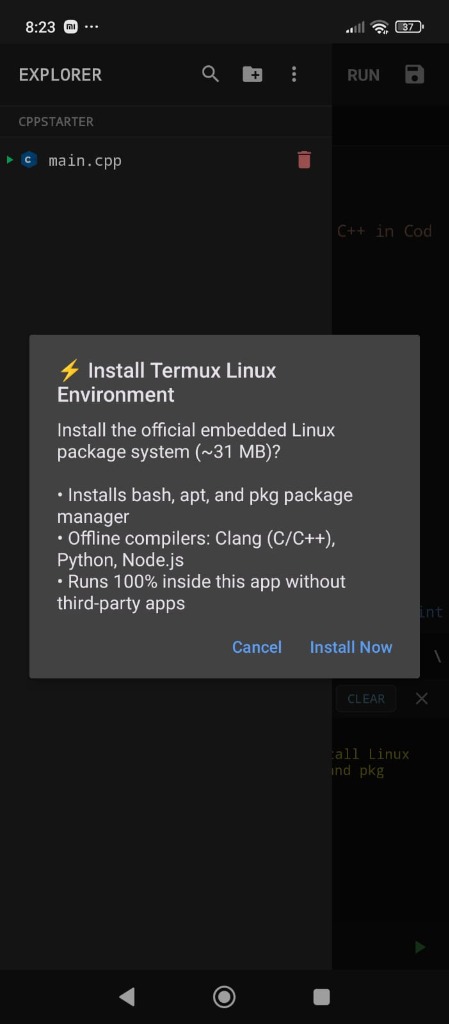
A dialog modal details the embedded Linux system (~31 MB). No third-party apps, no root access, and no manual terminal commands are needed.
-
Step 3 Tap "Install Now" in the confirmation dialog.
-
Automated Bootstrap: Installs bash, apt, and the full pkg package manager directly into app storage.
-
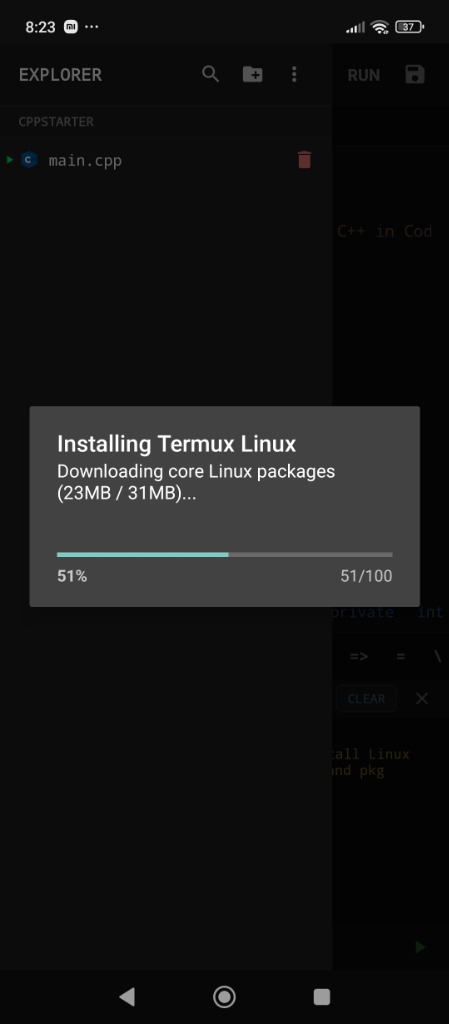
Live Horizontal Progress Bar: Displays
Downloading core Linux packages (23MB / 31MB)... 51%and finishes in ~10 seconds.
Embedded Linux Userland Initialized
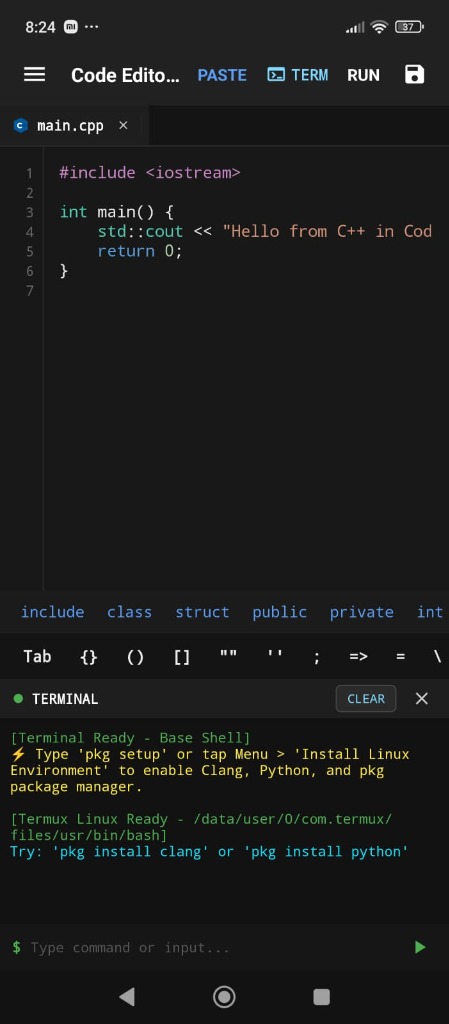
The terminal automatically confirms successful deployment of the Linux bash environment and package manager.
-
Terminal Notification:
[Termux Linux Ready - /data/user/0/app.code.editor/files/usr/bin/bash] -
Shell Ready:
Try: 'pkg install clang' or 'pkg install python' -
Your Android device is now a fully functional offline development workstation.
Tap RUN (▶) — Zero-Config Toolchain Download
You do not need to configure build paths or manually hunt for compilers. Simply hit RUN (▶)!
-
Step 5 Tap RUN in the top action bar on
main.cpp. -
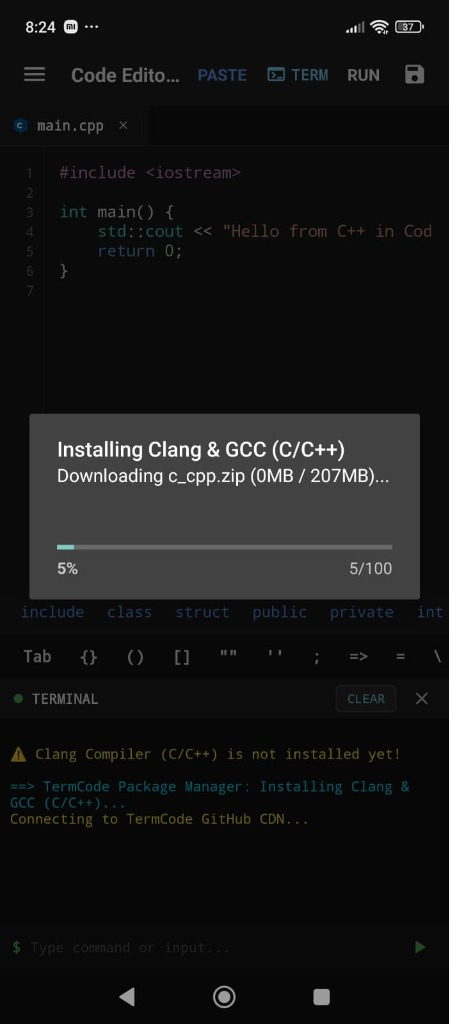
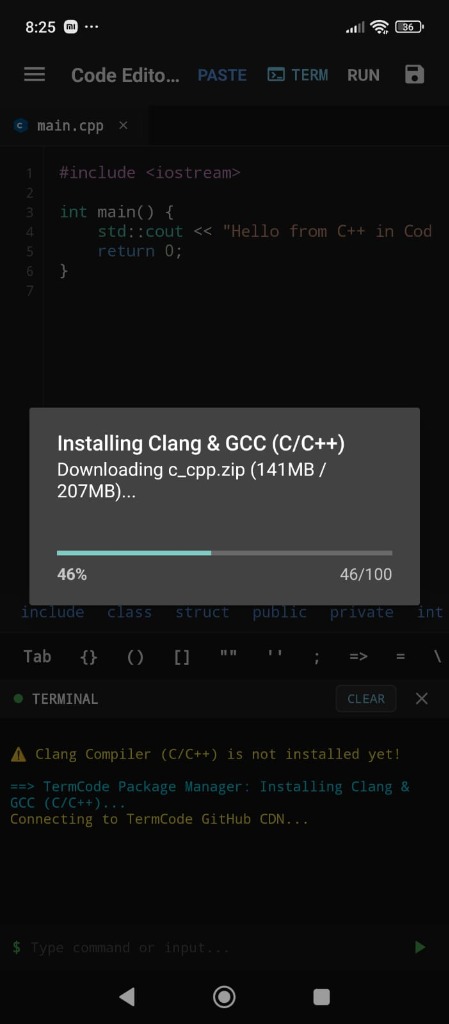
TermCode Package Manager: Detects that Clang (C/C++) is missing and connects directly to TermCode GitHub CDN.
-
High-Speed CDN: Downloads
c_cpp.zip(207 MB) with real-time percentage progress bar.
Toolchain Extracted & Native Clang++ Output
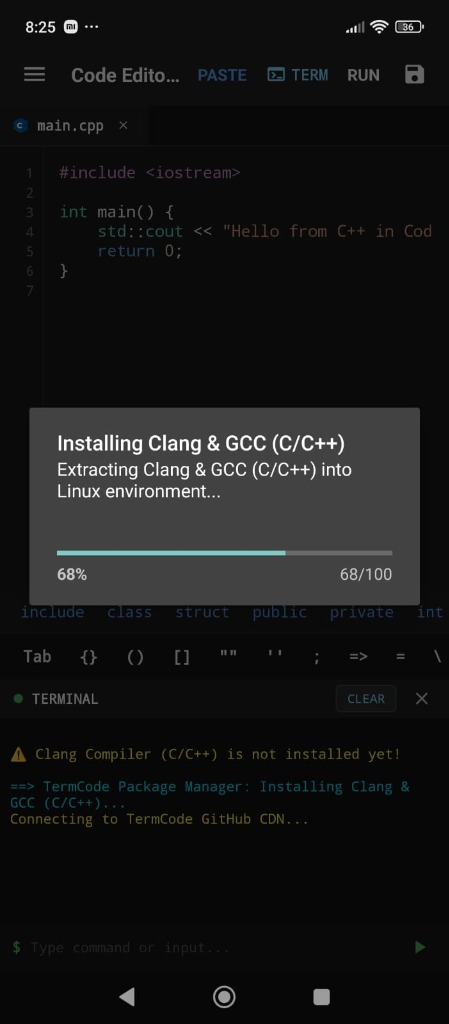
The app unpacks the toolchain into your Linux userland and executes the compiler seamlessly without leaving the editor.
-
Automatic Unpack:
Extracting Clang & GCC (C/C++) into Linux environment... 68%. -
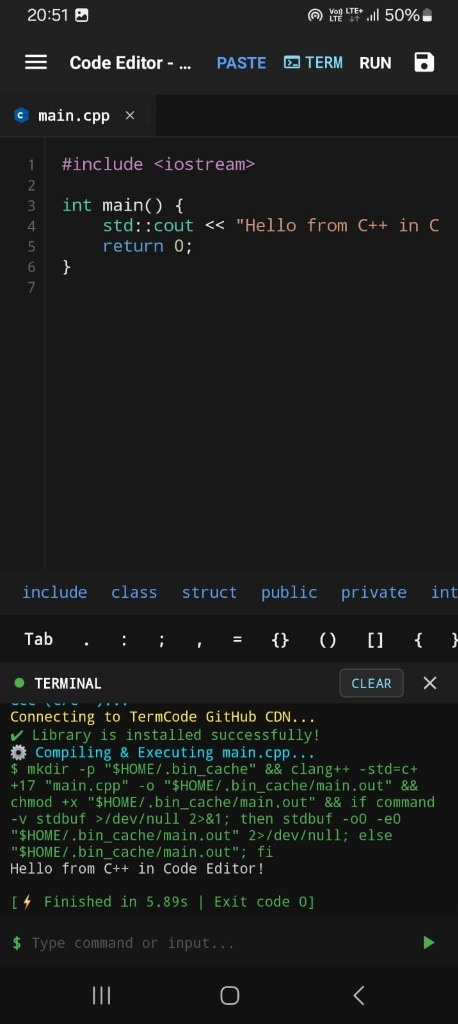
Terminal Notification:
✓ Library is installed successfully! -
Native Execution Command:
$ clang++ -std=c++17 "main.cpp" -o "$HOME/.bin_cache/main.out"with isolated caching. -
Real Program Output: Hello from C++ in Code Editor! with
[ ⚡ Finished in 5.89s | Exit code 0 ].
Tap [📁+] to Create Files, Folders & Starter Templates
Managing project files is fast and intuitive. Create new code files with automatic starter templates, organize nested directories, or open any project folder directly from your device storage.
-
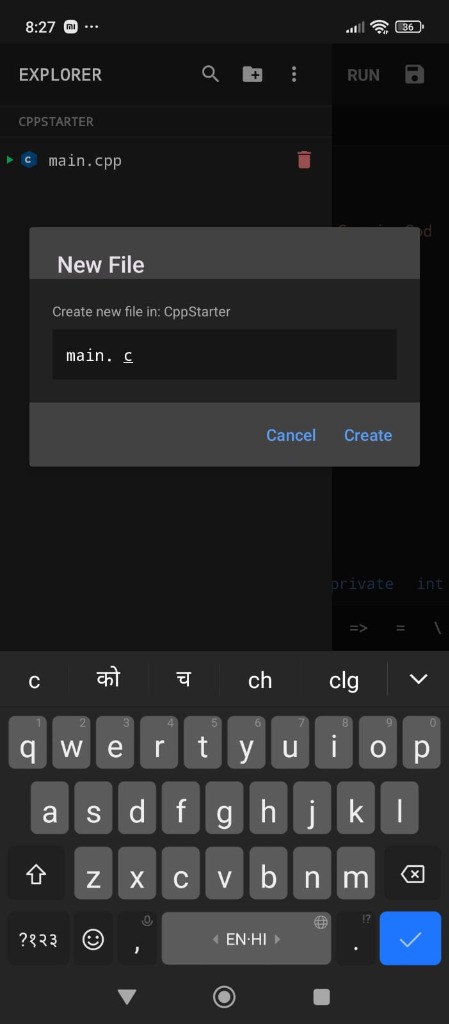
Step 7 In the Explorer header, tap the Folder/Add [📁+] button.
-
4 Core File Options: Select
📄 New File,📁 New Folder,📂 Open Folder (Device Storage), or📄 Open File (Device Storage). -
Automatic Starter Templates: Entering a filename like
main.c,main.py,Main.java, orindex.htmlautomatically injects clean, ready-to-run boilerplate starter code! -
Device Storage Integration: Seamlessly open and edit any folder or repository saved on your phone's internal storage without root.
Multi-Tab Bar & Native C Execution
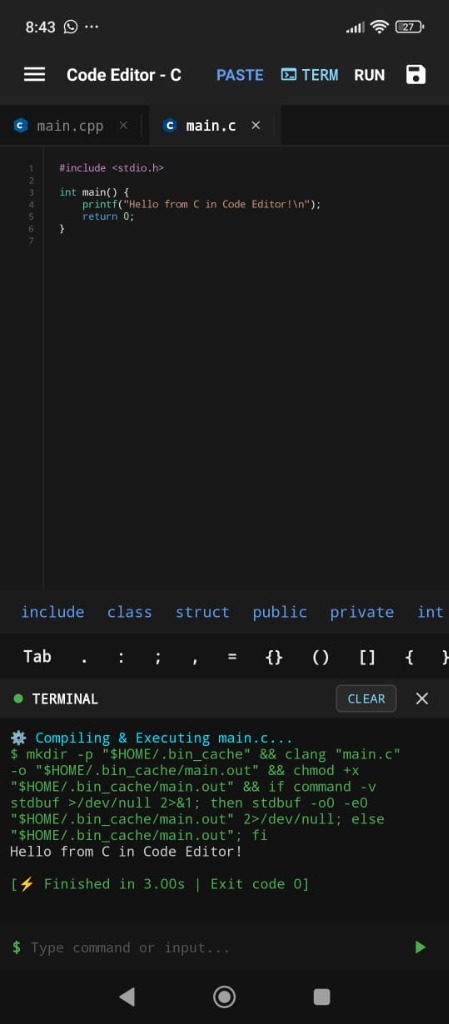
Your newly created main.c appears right beside main.cpp in the horizontal tab bar with language-specific vector badges.
-
Horizontal Tab Bar: Switch between open files instantly with VS Code-like multi-file tabs.
-
Mobile Keyboard Helper Bar: Single-tap access to
#include,stdio.h,printf,Tab,{},(),;right above the keyboard. -
RUN Tap RUN (▶): Clang compiles
main.cand immediately outputs "Hello from C in Code Editor!" with exit code 0!
In-App Multi-Language Setup Guide
Code Editor includes a comprehensive built-in compiler and package installation guide directly inside the app. Check out the real screenshots from the in-app guide below:
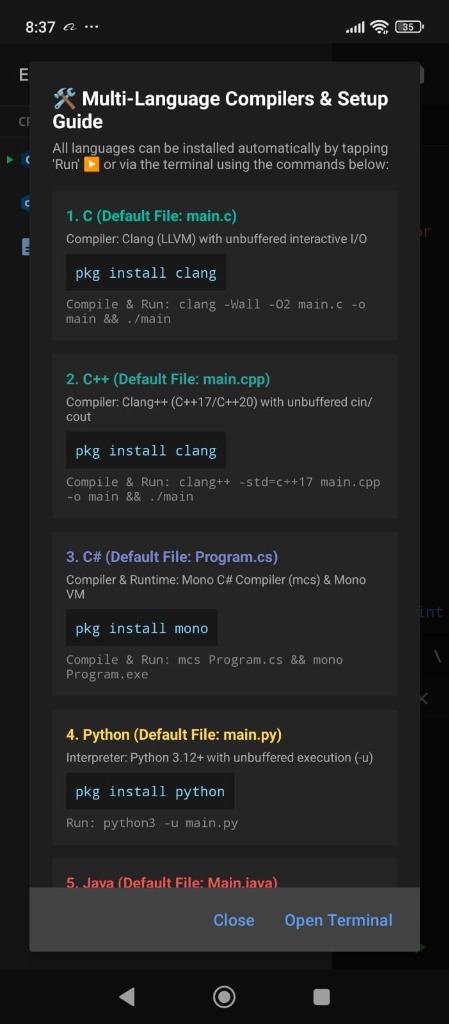
pkg install clang), C++ (C++17/20), C# (pkg install mono), and Python 3.12+ (pkg install python).
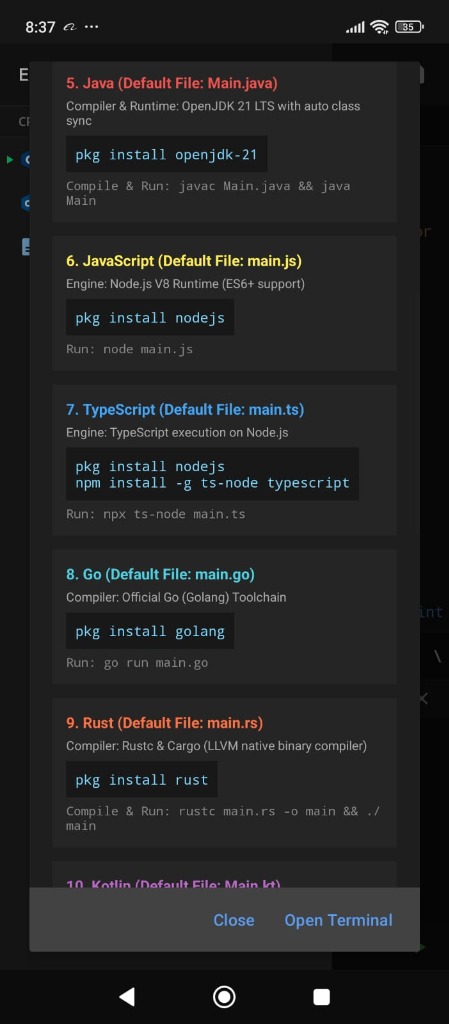
pkg install openjdk-21), Node.js & TypeScript (ts-node), Go (pkg install golang), and Rust (pkg install rust).
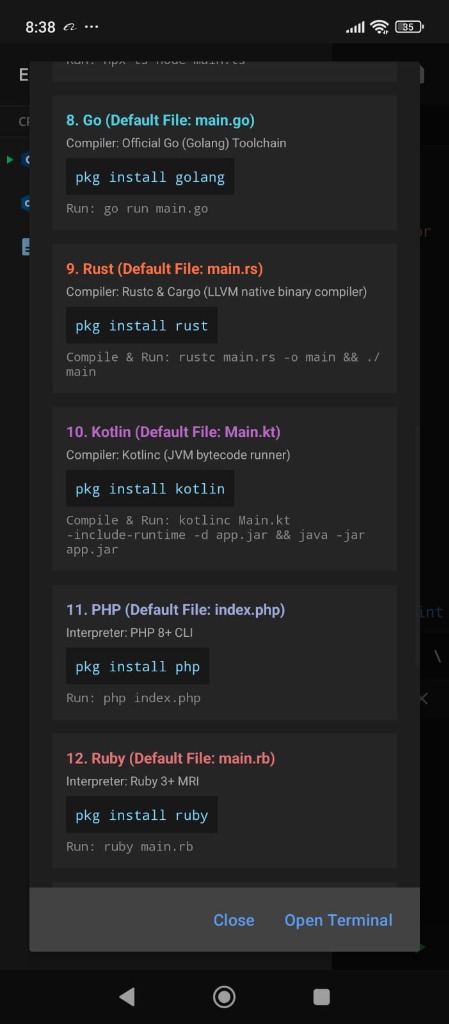
pkg install kotlin), PHP 8+ (pkg install php), and Ruby 3+ (pkg install ruby).
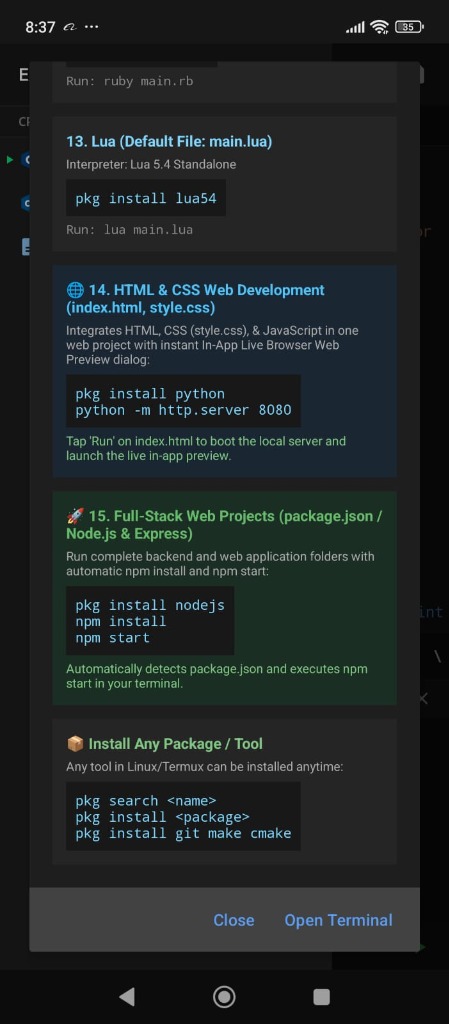
pkg install git make cmake).
Standalone IDE Specs & Open Source Compliance
Code Editor is completely self-contained and strictly adheres to all open-source licensing standards.
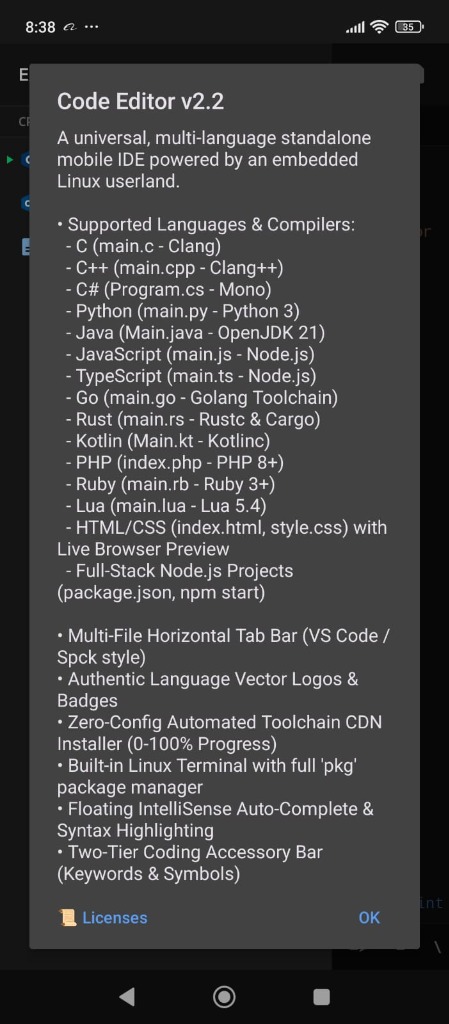
Code Editor v2.2 Architecture
A universal, multi-language standalone mobile IDE powered by an embedded Linux userland. No background spyware, no forced subscriptions, and zero external dependencies required.
-
Multi-File Horizontal Tab Bar: VS Code & Spck-style responsive tab management.
-
Zero-Config Automated Toolchain CDN Installer: Instant 0–100% progress download from high-speed CDN.
-
Built-in Linux Terminal: Complete with full bash and
pkg/aptpackage management. -
Two-Tier Coding Accessory Bar: Fast access to language keywords, symbols, and formatting keys.
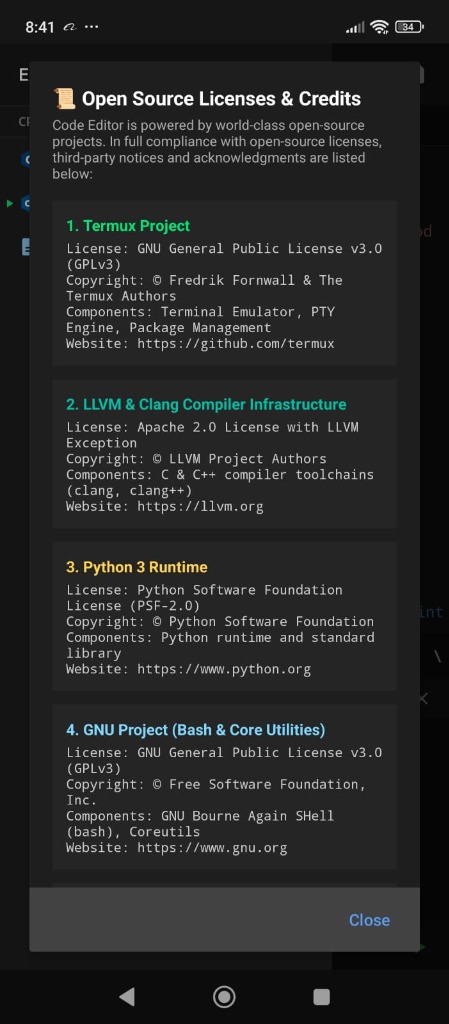
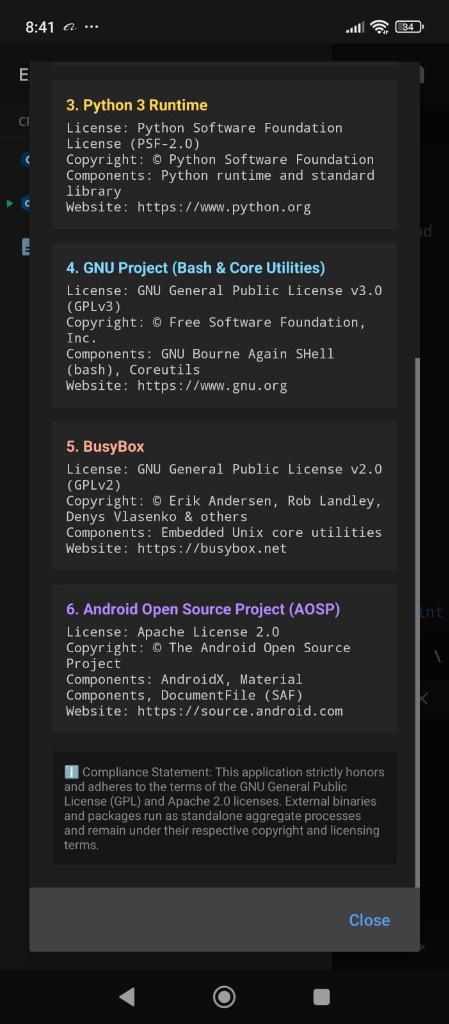
Open Source Licenses & Credits
Code Editor honors the open-source community by strictly adhering to the terms of GPLv3, GPLv2, Apache 2.0, and PSF-2.0 licenses. External binaries run as standalone aggregate processes.
-
Termux Project: GNU General Public License v3.0 (GPLv3) — Terminal emulator & PTY engine.
-
LLVM & Clang: Apache 2.0 License with LLVM Exception — C & C++ compiler toolchains.
-
Python 3 Runtime: Python Software Foundation License (PSF-2.0).
-
GNU Project & BusyBox: GNU General Public License (GPLv3 & GPLv2) — Bash & core utilities.
-
Android Open Source Project (AOSP): Apache License 2.0 — Material Components & SAF.
15+ Supported Languages & Stacks
Every language comes with pre-configured compiler commands, starter code, and error parsing.